What is this tool?
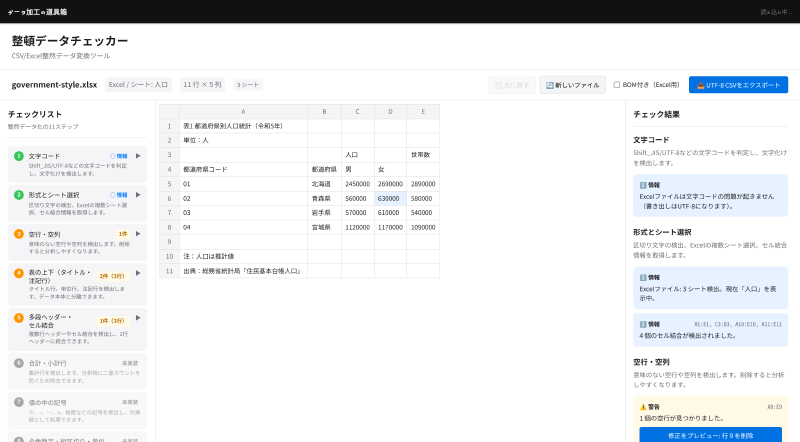
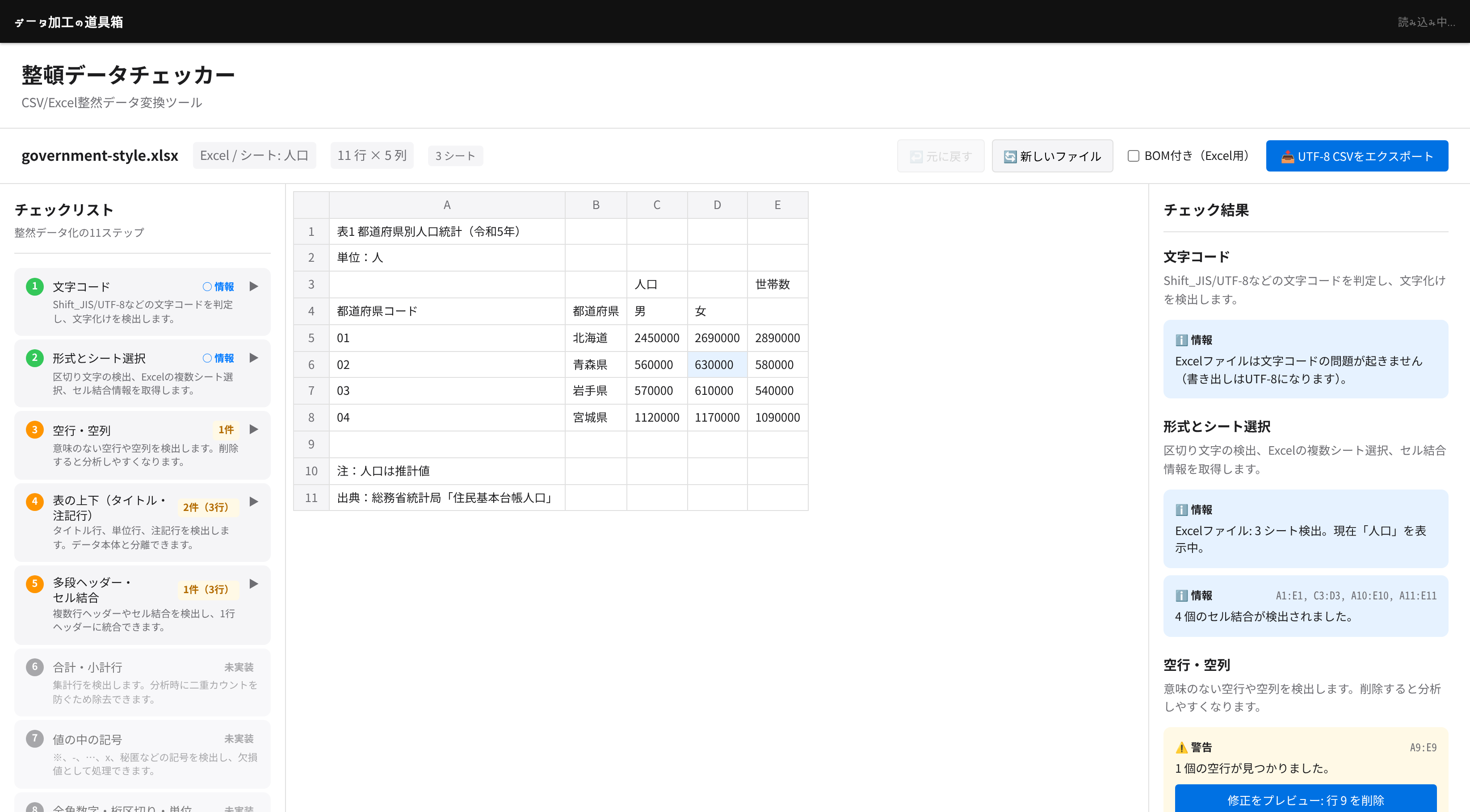
A browser-based tool that loads CSV/Excel files published by government agencies and industry groups, and walks you through a checklist of things to fix before analysis or visualization. It finds garbled text, empty rows and columns, title and note rows above and below the table, and multi-row headers and merged cells, shows where they are, and lets you preview each fix before applying it. The cleaned data can be exported as a UTF-8 CSV. All processing runs entirely in your browser — no data is ever sent to a server.
Features
- Character encoding detection and conversion — Detects Shift_JIS, EUC-JP, UTF-8 (with or without BOM), UTF-16, and more. If the text is garbled, it shows how the file looks when read as UTF-8, then converts it
- Multi-sheet Excel support — For Excel files with several sheets, choose which sheet to load. Merged-cell information is read as well
- Empty row and column detection — Finds meaningless empty rows and columns so you can remove them
- Title and note row detection — Finds title and unit rows above the table and note rows below it, so you can separate them from the data
- Multi-row header and merged cell detection — Finds headers that span several rows and merged cells, and combines them into a single header row
- Fix preview and undo — Review each fix before and after applying it, and undo it later with 「元に戻す」 (Undo)
- UTF-8 CSV export — Exports the cleaned data as a UTF-8 CSV. Choose “with BOM” when opening it in Excel
How to use
- Drag & drop a CSV/Excel file onto the drop area (or click to select a file)
- Review the issues found, step by step, in the checklist on the left. The matching cells are highlighted in the table
- Preview a fix from the check results on the right, and apply it if it looks right
- Click 「UTF-8 CSVをエクスポート」 (Export UTF-8 CSV) to download the cleaned CSV
The tool’s interface is in Japanese.
Data formats
Supported files
| Type | Formats |
|---|---|
| Text | CSV, TSV, TXT (delimiter auto-detected) |
| Excel | .xlsx, .xls |
Detected character encodings
- UTF-8 (with or without BOM)
- Shift_JIS
- EUC-JP
- ISO-2022-JP
- UTF-16 (with BOM)
Export
- UTF-8 CSV (with or without BOM)
- To avoid exporting garbled text, export is blocked until the character encoding conversion has been applied